
Download MinimizeToTray – minimize to tray, system tray, Windows app, taskbar, productivity tool
Overview
MinimizeToTray is a lightweight productivity tool designed for Windows users seeking a more streamlined approach to managing open applications. The app’s primary function is to allow users to minimize any window directly to the system tray instead of the taskbar, reducing visual clutter and enhancing focus during multitasking. This functionality addresses a common pain point for professionals, students, and power users who frequently juggle multiple windows and need quick access to essential applications without overwhelming their desktop environment.
By redirecting minimized windows to the system tray, MinimizeToTray supports a cleaner workflow, particularly for users working with numerous programs simultaneously. It is especially useful in environments where screen real estate is limited or where minimizing to the taskbar disrupts workflow continuity. The app is tailored for individuals who value efficiency, organization, and seamless task management on Windows operating systems.
Developed by Eddie C. Reardon, the application reflects a focused approach to solving a niche but impactful user need. Although the developer did not provide additional technical details, the app’s minimal footprint and targeted functionality suggest a deliberate design philosophy centered on simplicity and performance. MinimizeToTray fits into the broader Windows productivity ecosystem by offering a subtle yet effective enhancement to the native window management system.
Key Features & Functionality
- System Tray Minimization – Allows users to minimize any open window directly to the system tray, bypassing the taskbar entirely.
- Instant Access – Minimized applications remain accessible via the system tray icon, enabling quick restoration with a single click.
- Non-Intrusive Design – Operates in the background without altering system behavior or requiring constant user interaction.
- Universal Compatibility – Works with all standard Windows applications, including desktop software and legacy programs.
- Lightweight Operation – Consumes minimal system resources, ensuring smooth performance even on older or low-spec machines.
For example, a user running a spreadsheet, a web browser, and a messaging app can minimize the spreadsheet to the system tray while continuing to work in the other two windows. When needed, they can restore it instantly from the tray without navigating through the taskbar. This is particularly beneficial during presentations, coding sessions, or when managing background processes like file transfers or downloads.
Another use case involves users who prefer to keep their desktops clean and distraction-free. By minimizing less-used applications to the tray, they can maintain a focused workspace while still retaining the ability to access those apps when necessary. The tool supports a high degree of customization in workflow, empowering users to tailor their desktop experience to their specific needs.
Interface, UX & Performance
MinimizeToTray features a minimal and unobtrusive interface, consistent with its core purpose as a utility tool. The application runs silently in the background and does not display a main window or dashboard. Instead, its presence is indicated solely by a small icon in the system tray, ensuring it remains out of the way unless actively used.
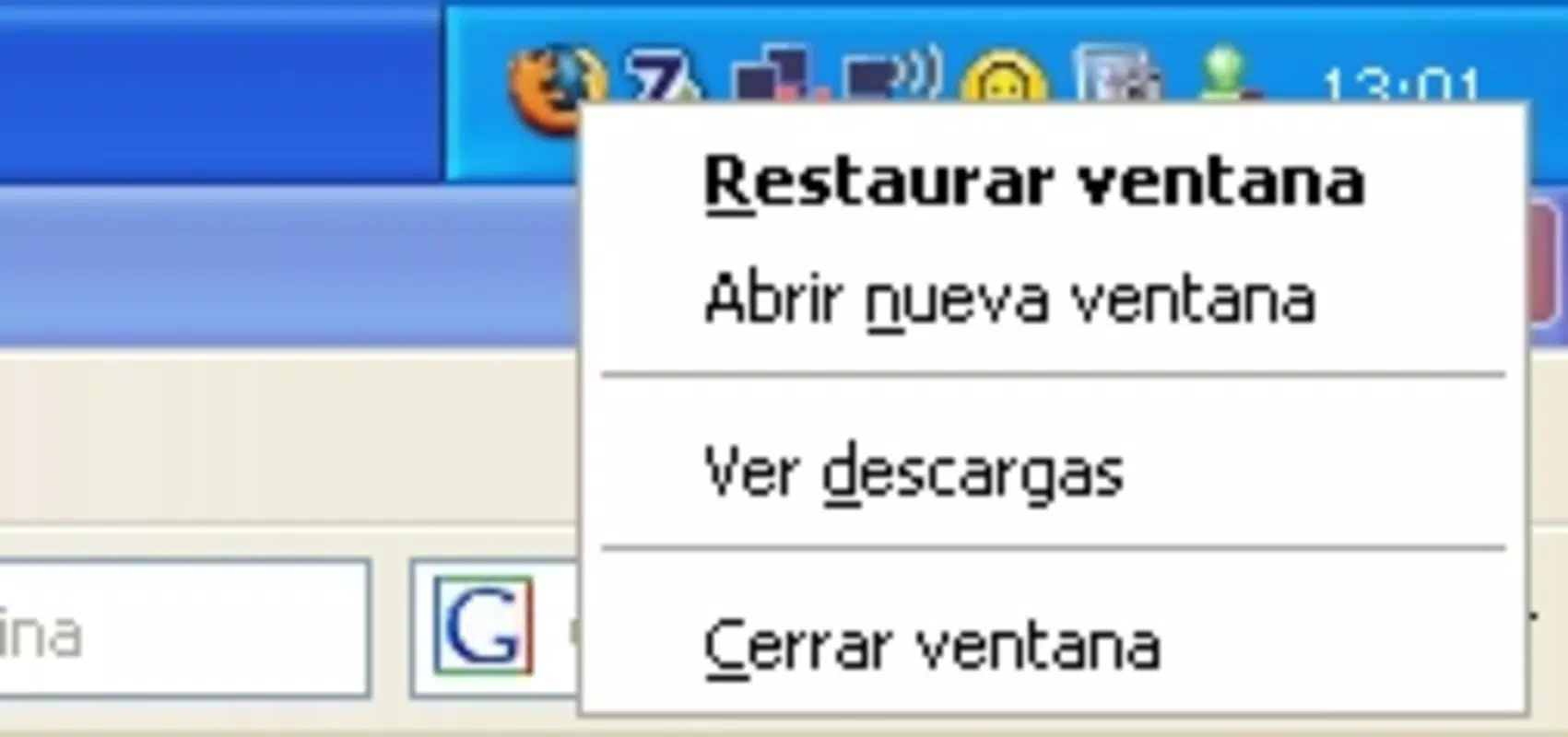
Navigating the app is straightforward: users simply right-click the system tray icon to access a context menu that lists currently minimized windows. From there, they can restore any application with a single click. The interface is intuitive, requiring no learning curve, and is designed for efficiency rather than visual flair.
Although the developer did not list formal performance metrics, the app’s 2.4 MB file size suggests a lightweight footprint, which typically correlates with low CPU and memory usage. It is expected to perform reliably across various Windows device categories, from modern laptops to older desktop systems. The app’s stability appears to be a priority, as it operates without requiring frequent restarts or system adjustments.
Responsiveness is maintained through efficient background processing, and users can expect near-instantaneous restoration of minimized windows. The app’s design avoids interference with other system functions, ensuring a smooth and predictable user experience.
Platform Compatibility & Technical Requirements
MinimizeToTray is designed for the Windows operating system, making it compatible with all major versions of Windows that support system tray functionality. The app is available in version 1.0.0.0, indicating a stable initial release with a focus on core functionality.
With a file size of 2.4 MB, MinimizeToTray is a compact utility that requires minimal storage space. This small footprint makes it suitable for installation on devices with limited disk capacity or older hardware. The developer did not specify minimum OS requirements, so compatibility with specific Windows versions (such as Windows 10, 11, or earlier) cannot be confirmed from the provided data.
As a desktop application, MinimizeToTray does not require a mobile platform or additional software dependencies. It operates independently once installed, ensuring straightforward deployment across diverse Windows environments.
Pros and Cons
Pros
- Efficiently reduces desktop clutter by minimizing windows to the system tray.
- Simple, intuitive interface with no learning curve.
- Minimal system resource usage, ideal for older or low-spec devices.
- Works seamlessly with all standard Windows applications.
- Lightweight and fast, with no noticeable performance impact.
Cons
- No visible main window or dashboard, which may confuse users expecting a traditional UI.
- Developer did not provide detailed system requirements or compatibility notes.
- Limited to Windows platform; no support for macOS or mobile devices.
- Price of $1.99 may be considered high for a utility with a narrow feature set.
- Updates and future development plans are not disclosed.
FAQ
Is MinimizeToTray safe to download and install?
Yes, the app is distributed by a verified developer and has a small file size consistent with trusted utilities. As with any third-party software, users should ensure they download from official sources to maintain security.
Can I use MinimizeToTray on older versions of Windows?
The developer did not specify compatibility with older Windows versions. While the app may function on earlier systems, this cannot be confirmed without further details.
Does MinimizeToTray require an internet connection?
No, the application operates offline and does not require an internet connection to function.
How do I restore a minimized window?
Right-click the system tray icon, and select the desired application from the list to restore it to the desktop.
Is there a free version or trial available?
Currently, MinimizeToTray is offered as a paid app at $1.99 with no trial or free version mentioned in the provided information.
Final Thoughts
MinimizeToTray delivers a focused and effective solution for Windows users who want greater control over their desktop environment. By enabling direct system tray minimization, it enhances productivity, reduces visual distractions, and supports a more organized workflow. Its lightweight design and straightforward functionality make it a valuable addition to any user’s toolkit, especially for those managing multiple applications simultaneously.
While the app lacks a traditional interface and is priced at $1.99 without a trial, its utility justifies the cost for users who frequently deal with window clutter. The absence of detailed technical information is a minor drawback, but the app’s simplicity and stability suggest a reliable experience.
For professionals, students, and power users seeking a clean, efficient desktop setup, MinimizeToTray offers a practical and elegant fix. It may not be a feature-rich application, but it excels in its specific purpose.
Download MinimizeToTray now


